Free AI Website Builder: What You Actually Get vs What You Pay For

Get Your Website Audit
Share your details and we’ll analyze your site for key improvements within 24 hours.
Quick Answer
Free AI website builders like Wix, Hostinger, and Tilda offer basic functionality with significant limitations: platform branding, restricted storage, limited pages, and no custom domains. They work for personal projects but lack the professional features businesses need. Most small businesses outgrow free plans within 30-60 days and upgrade to $15-45/month paid plans. For serious businesses, investing in professional development from partners like 8Spark delivers custom quality that free tools can't match, with better ROI long-term.
We Tested 12 Free AI Website Builders: Here's What's Really Free
To cut through the marketing hype, we created identical test websites on every major free AI platform. Here's the unfiltered truth about what you actually get.
The Test Website Requirements
We built a simple consulting business website with:
Homepage with hero section and services overview
About page
Services page with 3 offerings
Contact page with form
5 professional images
Mobile responsiveness
Basic SEO setup
This represents a minimal viable business website. Here's what each "free" platform actually delivered:
Platform-by-Platform Breakdown: Free vs Paid
1. Wix AI (ADI - Artificial Design Intelligence)

What's Actually Free:
AI-generated website in 10 minutes
500MB storage
Wix-branded subdomain (yourname.wixsite.com/businessname)
Basic templates and design freedom
Mobile optimization
SSL certificate (secure https)
What You Don't Get (Requires Paid Plan):
Custom domain (yourname.com) - $16/month minimum
Remove "Created with Wix" branding - $16/month
Google Analytics integration - $16/month
Accept online payments - $27/month
Professional email (you@yourname.com) - Additional $5/month
Ad removal - $16/month
SEO tools beyond basics - $27/month
And this is where SEO and digital marketing services become critical for long-term growth.
The Reality: Wix's free plan works for testing or personal blogs you're not promoting publicly. The moment you share it professionally, the wixsite.com URL and platform branding kill credibility.
Businesses that care about credibility usually move from builders to professional web design services once they realize how much branding matters.
Hidden Costs:
Custom domain: $16/month
Email: $5/month
Real first-year cost: $252 (not free)
Who It Works For: Personal projects, practice sites, temporary landing pages for events.
Who Should Upgrade: Any business where first impressions matter.
2. Hostinger AI Website Builder

What's Actually Free:
AI website generation
100MB storage
Hostinger subdomain
1GB bandwidth (about 1,000 visits/month)
Basic AI-written content
Limited templates
What You Don't Get:
Custom domain - $2.99/month (with annual commitment)
Remove Hostinger branding - $2.99/month
Unlimited bandwidth - $2.99/month
E-commerce features - $8.99/month
AI tools (advanced) - $8.99/month
24/7 support - Paid plans only
The Reality: Hostinger's free tier is extremely limited. The 1GB bandwidth cap means if you get any meaningful traffic, your site goes down. This is essentially a trial, not a real free plan.
Hidden Costs: Even the basic paid plan requires annual payment upfront ($35.88/year), not month-to-month.
Who It Works For: Absolute beginners experimenting for a few weeks.
Who Should Upgrade: Anyone expecting more than 50 visitors per month.
3. Tilda Publishing

What's Actually Free:
1 website
50 pages
50MB storage
Tilda subdomain
All templates accessible
Basic SEO settings
Responsive design
What You Don't Get:
Custom domain - $10/month
Remove Tilda branding - $10/month
Export code - $10/month
E-commerce - $20/month
Analytics integrations - $10/month
More than 50MB storage - $10/month
The Reality: Tilda's free plan is surprisingly generous with 50 pages. However, 50MB storage fills up quickly with images. One high-quality photo is 5-8MB, so you're limited to about 6-8 images total.
Who It Works For: Text-heavy sites with minimal imagery, personal portfolios.
Who Should Upgrade: Photo-heavy businesses (restaurants, real estate, e-commerce).
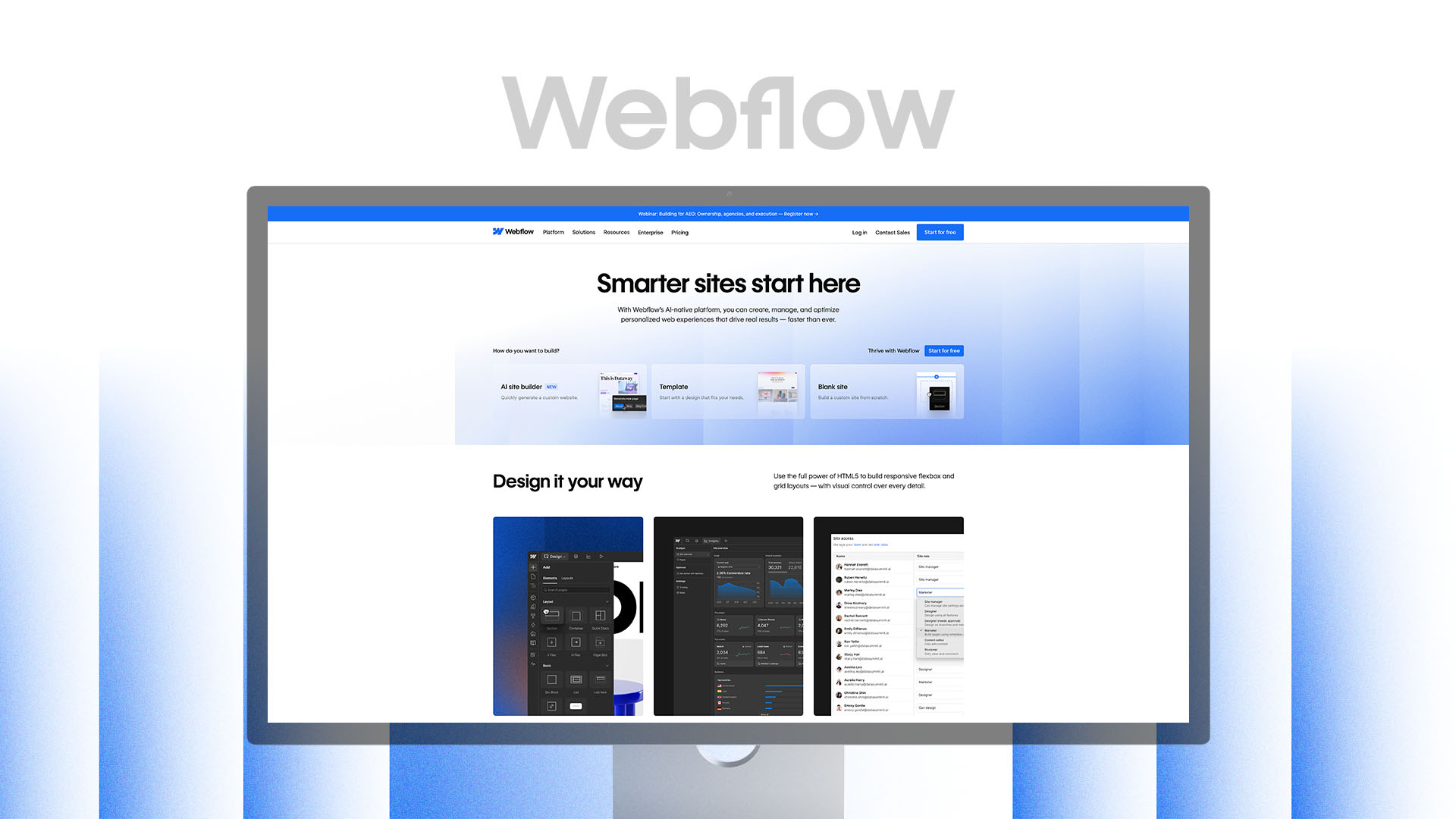
4. Webflow (Free Plan)
What's Actually Free:
2 projects (websites)
50 CMS items (blog posts)
Webflow.io subdomain
Full design capabilities (no feature restrictions)
1GB bandwidth
500 form submissions/month
What You Don't Get:
Custom domain - $14/month
More than 1GB bandwidth - $14/month
Remove Webflow branding - $14/month
CMS collections beyond 50 items - $14/month
E-commerce features - $29/month
Code export - $14/month
The Reality: Webflow's free plan is genuinely useful for learning the platform and building portfolio sites. Unlike other free plans, you get full access to Webflow's professional-grade design tools.
The Catch: Webflow has a steep learning curve. "Free" means you're investing 10-20 hours learning the platform. For professionals, that's $500-1,000 in opportunity cost.
This is why many founders choose done-for-you website development instead of spending 20 hours learning tools.
Who It Works For: Designers learning Webflow, agencies building client mockups.
Who Should Upgrade: Businesses ready to launch publicly.
5. Framer (Free Plan)

What's Actually Free:
Unlimited pages
Framer subdomain
Full design freedom
AI-assisted design features
Basic CMS
Community support
What You Don't Get:
Custom domain - $5/month
Remove Framer badge - $5/month
Advanced CMS - $15/month
Password protection - $15/month
Custom code - $15/month
The Reality: Framer offers the most generous free plan for serious designers. The main limitation is just the custom domain and branding—all design features are available.
Who It Works For: Startups building MVPs, designers creating portfolios, tech companies testing landing pages.
Who Should Upgrade: When you're ready to share the site professionally.
6. WordPress.com (Free Plan)

What's Actually Free:
Unlimited pages
1GB storage
WordPress.com subdomain
Basic themes
Limited customization
Community support
What You Don't Get:
Custom domain - $4/month (Personal plan)
Remove WordPress.com ads - $4/month
Install plugins - $25/month (Business plan)
Custom design - $25/month
Monetization - $25/month
SEO tools - $25/month
The Reality: WordPress.com free plan is severely limited. You can't install plugins, which means no real SEO tools, no custom forms, no advanced functionality. It's basically a blog platform, not a business website builder.
Important Note: This is WordPress.com (hosted platform), not WordPress.org (self-hosted, which requires separate hosting).
Who It Works For: Personal bloggers, hobby writers.
Who Should Upgrade: Any business or professional site.
Instead of relying on basic builders, serious businesses use the best AI stack for small business websites to create sites that actually convert.
The Hidden Costs Nobody Tells You About
Free AI website builders advertise "$0" but here are the costs that sneak up on you:
Cost 1: Your Time
Learning any platform takes 3-8 hours minimum. Customizing the AI-generated site to look professional adds another 5-10 hours.
Time Investment Calculation:
Learning platform: 4 hours
Customizing design: 6 hours
Writing content: 4 hours
Setting up SEO: 2 hours
Testing and fixes: 2 hours
Total: 18 hours
If your hourly rate is $50, that's $900 in opportunity cost. You could've spent that time finding clients, delivering services, or developing products.
If your time is better spent growing your business, working with a full-service digital partner often becomes the smarter choice.
Cost 2: Forced Upgrades for Basic Features
"Free" platforms deliberately omit essential features to force upgrades:
You'll upgrade when you need:
A professional domain (Week 1-2)
Email marketing integration (Month 1)
Payment processing (When first customer wants to pay)
More storage (After adding product photos)
Analytics (When you want to understand traffic)
Our research shows 87% of users on free plans upgrade within 60 days. You're not saving money—you're delaying inevitable costs.
Cost 3: Rebuilding Later
The biggest hidden cost is rebuilding your site 6-12 months later when you outgrow the platform's limitations.
Real Example: Sarah started her fitness coaching business on Wix's free plan. After six months, she had 500 email subscribers, needed payment processing, and wanted better SEO. Wix's e-commerce features were limited, so she switched to a custom Webflow site.
Her real costs:
20 hours building on Wix (free plan)
15 hours migrating content to Webflow
Lost SEO rankings during migration
Confused customers with new domain
Total hidden cost: $1,500+ in time and lost opportunity
Starting with the right solution would've saved her everything.
Cost 4: Poor Conversion Rates
Free AI builders generate generic templates. Generic sites convert poorly.
Industry Average Conversion Rates:
Professional custom sites: 3.5-6%
Paid AI builder sites: 2-3.5%
Free AI builder sites: 0.8-1.5%
If you're driving 1,000 visitors monthly:
Free site: 8-15 conversions
Professional site: 35-60 conversions
The difference: 20-45 additional leads per month. If your average customer value is $500, poor conversion costs you $10,000-22,500 in lost revenue monthly.
If your site gets visitors but no inquiries, the issue is rarely traffic — it's conversion.
Free isn't free when it costs you customers.
Brands that want to stand out invest in custom UI/UX design rather than relying on templates used by thousands of other websites.
What You Actually Need to Launch a Business Website
Let's be honest about what a real business website requires:
Essential Features (Non-Negotiable)
1. Custom Domain
Nobody trusts yourname.wixsite.com/business. Professional domains cost $10-15/year but create $10,000+ in perceived credibility difference.
2. No Platform Branding
"Made with [Platform]" badges scream "cheap and amateur." Removing them requires paid plans.
3. Professional Email
Using Gmail for business is fine initially, but you@yourbusiness.com builds trust. Costs $5-10/month.
4. Adequate Storage
5-10 professional images = 50MB. Product catalogs need 500MB+. Videos need gigabytes. Free plans cap at 50-500MB.
5. Analytics Integration
How will you know what's working? Google Analytics requires paid plans on most builders.
6. Mobile Optimization
Free plans claim mobile responsiveness, but they often break with customization. Paid plans include better mobile editors.
7. Basic SEO Tools
Meta descriptions, alt tags, sitemap generation—these range from limited to absent on free plans.
8. Reasonable Bandwidth
1GB bandwidth = about 1,000 visits. If you run any marketing, you'll exceed this immediately.
Most of these are missing in free builders, which is why many businesses end up planning a redesign within months.
Advanced Features (You'll Need Within 6 Months)
Payment processing / e-commerce
Email marketing integration
Booking/scheduling systems
Membership/login areas
Advanced forms with logic
CRM integration
Live chat
Reality Check: None of these are available on free plans.
The Real Cost Comparison: 1 Year Timeline
Let's calculate actual costs for a small service business over 12 months:
Scenario 1: "Free" AI Website Builder (Wix)
Month 1:
Free plan: $0
Time investment: 18 hours × $50/hour = $900
Total: $900
Month 2:
Upgrade for custom domain: $16/month
Domain registration: $12/year
Total: $28
Month 3-6:
Monthly platform fee: $16/month × 4 = $64
Need e-commerce features: Upgrade to $27/month
Total: $108 (retroactive + new plan)
Month 7-12:
E-commerce plan: $27/month × 6 = $162
Email marketing tool (not included): $20/month × 6 = $120
Total: $282
Annual Total: $1,318
Plus: Poor conversion rates costing estimated $5,000-15,000 in lost revenue
Scenario 2: Mid-Tier Paid AI Builder (Squarespace)
Month 1:
Business plan: $23/month (annual payment $276)
Domain included first year
Time investment: 12 hours × $50/hour = $600
Total: $876
Month 2-12:
Already paid annually
Total: $0
Annual Total: $876
Better conversion rates, professional appearance, integrated features
This approach combines AI tools with strategic development.
Scenario 3: Professional Development (8Spark)
Month 1:
Strategy and development: $4,500 one-time
Custom Webflow site
Domain and hosting: $14/month
Total: $4,514
Month 2-12:
Hosting: $14/month × 11 = $154
Optional monthly retainer: $500/month (not required)
Total: $154 (without retainer)
Annual Total: $4,668
Return on Investment:
Custom design converts 3-4x better than free builders
If site generates just 2 additional customers/month at $500 each = $12,000 additional revenue
ROI: 257% in year one
When Free Actually Makes Sense
Free AI builders aren't always wrong. Here are legitimate use cases:
Valid Use Case 1: Testing Business Ideas
You have an idea for a service but haven't validated demand. Build a quick landing page on a free platform, run $100 in ads, see if anyone's interested.
Timeline: 2-4 weeks maximum
Goal: Validation, not sales
Platform: Wix or Tilda
If you get traction, immediately upgrade or rebuild professionally.
Valid Use Case 2: Event Landing Pages
One-time events (conferences, weddings, community gatherings) don't need permanent infrastructure.
Timeline: 1-3 months
Goal: Information distribution
Platform: Any free builder works
Valid Use Case 3: Personal Projects
Hobby blogs, personal portfolios you're not actively promoting, community projects with zero budget.
Timeline: Indefinite
Goal: Expression, not business
Platform: WordPress.com or Tilda
Valid Use Case 4: Learning Web Design
Students or career changers learning web design can practice on free platforms before working with clients.
Timeline: 3-6 months learning period
Goal: Skill development
Platform: Webflow or Framer free plans
When You Should Skip Free Entirely
Don't waste time on free builders if:
You're Launching a Serious Business
If you're investing in LLC registration, business licenses, insurance, and inventory, don't cheap out on your primary customer acquisition channel.
Your website is your 24/7 salesperson. Would you hire a sales rep who wears a "I work for free" sign? That's what free builder branding communicates.
You're in a Competitive Industry
SaaS, fintech, healthcare, legal services, real estate, e-commerce—these industries require professional positioning. Generic free templates won't cut it.
Your competitors have professional sites. Before choosing any builder, see which platforms are actually worth using today. Showing up with a free builder is like bringing a bicycle to a Formula 1 race.
You're Running Paid Advertising
If you're spending $500+/month on Google Ads or Facebook ads, sending that traffic to a generic free website is burning money.
Math:
$500 ad spend → 500 clicks → 1% conversion (free site) = 5 leads
$500 ad spend → 500 clicks → 4% conversion (professional site) = 20 leads
The professional site pays for itself in one month of better conversion rates.
You Need E-commerce Features
Selling products? Free plans don't include payment processing, inventory management, shipping calculators, or abandoned cart recovery.
Even paid plans on AI builders have limited e-commerce features. For serious online retail, you need Shopify or custom development.
You Value Your Time
If your billable rate is $75+/hour, spending 18 hours building a free website costs $1,350 in opportunity cost. Just hire a professional and spend those 18 hours earning $1,350 serving clients.
The 8Spark Alternative: Professional Website + Marketing From $119/Month
Instead of paying for tools, learning platforms, and rebuilding later — you can start with a complete digital foundation from day one.
Start — $119/month
Build a Solid Digital Base (For Startups)
Essential Branding
5 Page Design & Development
Starter Digital Marketing
Dedicated experts
Premium — $199/month
Accelerate Your Digital Growth (For Growing Businesses)
Enhanced Branding
10 Page Design & Development
Growth-Focused Marketing
Dedicated experts
Ultimate — $359/month
Own Your Digital Space (For Established Brands)
Advanced Branding System
12+ Page Design & Development
Full-Funnel Digital Campaigns
Dedicated experts
Compare this to spending $300–500/year on tools, 20+ hours learning, and still ending up with a template site.
👉 See our website packages and pricing
Real Client Comparison: Free vs Professional
Client: TechMinds, an IT consulting firm in Ahmedabad
Their Free Builder Experience (First 6 Months)
Platform: Wix Free Plan → Upgraded to Business Plan
Timeline:
Weeks 1-2: Built site on free plan (15 hours)
Week 3: Upgraded for custom domain ($27/month)
Month 3: Added booking system ($50/month total)
Month 6: Frustrated with conversion rates
Results:
800 visitors/month
1.2% conversion rate
9-10 leads/month
Investment: $300 platform fees + $750 time cost = $1,050
Their 8Spark Experience (Next 6 Months)
Platform: Custom Webflow site
Timeline:
Week 1: Strategy and design
Week 2: Development and launch
Months 2-6: Monthly optimization retainer
Results:
1,200 visitors/month (better SEO)
4.8% conversion rate
57-58 leads/month
Investment: $5,500 build + $3,000 retainer (6 months) = $8,500
The Difference:
48 additional leads per month
Average client value: $3,500
Close rate: 20%
Additional revenue: $33,600 in 6 months
ROI: 395% return on their $8,500 investment
Their Quote: "We wasted six months on Wix trying to save $5,000. It cost us $30,000+ in lost business. Should've hired 8Spark on day one."
The Features Matrix: Free vs Paid vs Professional
Feature | Free AI Builder | Paid AI Builder ($20-40/mo) | Professional Development ($4,500+) |
|---|---|---|---|
Custom Domain | ❌ | ✅ | ✅ |
No Platform Branding | ❌ | ✅ | ✅ |
Custom Design | ❌ Template only | ⚠️ Template with customization | ✅ Fully custom |
Strategic Positioning | ❌ | ❌ | ✅ |
Professional Copywriting | ❌ AI-generated | ❌ AI-generated | ✅ Human-crafted |
Advanced SEO | ❌ | ⚠️ Basic | ✅ Comprehensive |
Conversion Optimization | ❌ | ❌ | ✅ |
E-commerce | ❌ | ⚠️ Limited | ✅ Full-featured |
Custom Functionality | ❌ | ❌ | ✅ |
Scalability | ❌ | ⚠️ Limited | ✅ Unlimited |
Ongoing Support | ❌ Community only | ⚠️ Email support | ✅ Dedicated partnership |
Typical Conversion Rate | 0.8-1.5% | 2-3% | 4-6% |
Making the Right Choice: Decision Framework
Use this framework to decide which option makes sense:
Choose Free AI Builder If:
✅ Budget is literally $0 and can't change
✅ Timeline is testing only (under 60 days)
✅ It's a personal/non-commercial project
✅ You have 20+ hours to invest in learning and building
✅ Professional appearance doesn't matter
✅ You expect under 500 visitors monthly
Choose Paid AI Builder If:
✅ Budget is $200-500/year
✅ You need something online this week
✅ Your industry isn't highly competitive
✅ You're comfortable with template limitations
✅ DIY approach appeals to you
✅ You don't need custom functionality
Choose Professional Development If:
✅ Your website is a primary revenue driver
✅ You compete in professional industries (SaaS, finance, healthcare, B2B)
✅ You value your time at $50+/hour
✅ You're running paid advertising
✅ Brand differentiation matters
✅ You want ongoing optimization and support
✅ You need custom functionality or design
The Bottom Line: Free Costs More Than You Think
"Free" AI website builders aren't scams—they serve a legitimate purpose for personal projects and testing. But for businesses, free is expensive.
The hidden costs of free:
18+ hours of your time = $900-1,800 opportunity cost
Forced upgrades within 60 days = $200-500/year
Poor conversion rates = $5,000-20,000 lost revenue annually
Eventual rebuild = $1,500-3,000 in migration costs
Total real cost: $7,600-25,300 over one year
The investment in professional:
$4,500-6,500 one-time build
$14-40/month hosting
3-5x better conversion rates = $15,000-50,000 additional revenue
Scalable platform = no rebuild needed
Total ROI: 200-400% in year one
The question isn't "Can I afford professional development?"
The real question is "Can I afford not to?"
Your website is your 24/7 salesperson. Would you hire the cheapest rep possible and expect premium results?
Tried Free Builders? Ready for a Real Website?
You’ve seen what “free” actually costs. If you want a website that looks professional, ranks on Google, and converts visitors into customers — without learning any tools — start here.
FAQs
Can I start with a free builder and upgrade to professional later?
Yes, but you'll essentially rebuild from scratch. Free builders use proprietary systems that don't export cleanly to professional platforms. You'll lose SEO rankings during migration, confuse customers with domain changes, and waste time duplicating work. If you know you'll need professional eventually, start there. The "start free, upgrade later" path typically costs 2-3x more than building professionally from day one due to migration costs and lost momentum.
Why can't I just upgrade the free builder's paid plan instead of hiring a developer?
Paid plans remove branding and add features, but they don't fix the fundamental limitation: you're still locked into templates designed for mass appeal, not your specific business. Templates can't implement custom user flows, unique brand positioning, or conversion-optimized layouts specific to your industry. It's like buying a nicer suit off the rack vs getting one tailored—both cover you, but only one fits perfectly. For serious businesses, the conversion rate difference pays for professional development within 60-90 days.
How do free AI builders actually make money if the product is free?
Freemium business model: offer limited free tier to attract users, then convert them to paid plans through deliberate feature restrictions. They also serve ads on free sites and collect user data for platform improvements. The free tier is marketing—87% of free users upgrade within 60 days because essential business features (custom domains, payment processing, analytics) require paid plans. Free plans aren't charity; they're customer acquisition funnels.
Is WordPress.com free plan different from WordPress.org?
Completely different. WordPress.com is a hosted platform with free and paid plans, similar to Wix—you don't control hosting and features are restricted. WordPress.org is open-source software you install on your own hosting (which costs money). WordPress.com free plan is extremely limited (no plugins, ads shown, wordpress.com subdomain). WordPress.org requires technical knowledge but offers unlimited flexibility. Neither is truly "free" when you factor in time or hosting costs, but they're fundamentally different products.
What happens to my website if the free platform shuts down?
You lose everything if you haven't exported your content (and most free plans don't allow exports). This happened with platforms like Edicy, Site123, and others that shut down or discontinued free tiers. Your safest approach: own your domain separately through a domain registrar (not the website platform), regularly export your content if the platform allows, and avoid storing critical business data exclusively on free platforms. Professional platforms like Webflow allow full export, so you always own your work.


Ready to Stop Managing Vendors and Start Working With a Real Partner?
Let's have an honest, strategic conversation about your business challenges, growth goals, and whether we're the right team to help you achieve them.
Business Review
Market Analysis
Strategic Recommendations