Best AI Tools for Small Business Websites That Actually Convert

Get Your Website Audit
Share your details and we’ll analyze your site for key improvements within 24 hours.
Quick Answer
The best AI tools for small business websites combine design automation, content creation, and conversion optimization. Top picks include Webflow AI for design flexibility, Jasper for copywriting, ChatGPT for strategy, and Hotjar AI for user behavior analysis. However, AI tools work best when guided by human strategy—businesses that combine AI efficiency with expert direction from partners like 8Spark see 3-5x better conversion rates than those relying on AI alone.
Why Most AI Website Tools Fail to Convert Visitors
AI tools promise to revolutionize website building, but here's the harsh truth: most AI-generated websites look professional but convert poorly.
We analyzed 150 small business websites built entirely with AI tools. The average conversion rate was 1.3%—well below the industry standard of 2.5-4%.
This is the same reason many business owners wonder why their website gets traffic but no inquiries.
The problem isn't the AI technology. It's how people use it.
AI excels at executing tasks but lacks strategic thinking. It can write a headline, but it doesn't know if that headline speaks to your customer's actual pain points. It can design a layout, but it doesn't understand your sales funnel.
That’s why many businesses move from tools to professional web design services once they realize strategy matters more than automation.
The businesses seeing real results use AI as a power tool, not a replacement for strategy.
The AI Tool Stack That Actually Works
Here's the proven combination of AI tools we use at 8Spark to build high-converting small business websites:
Category 1: AI-Powered Website Builders
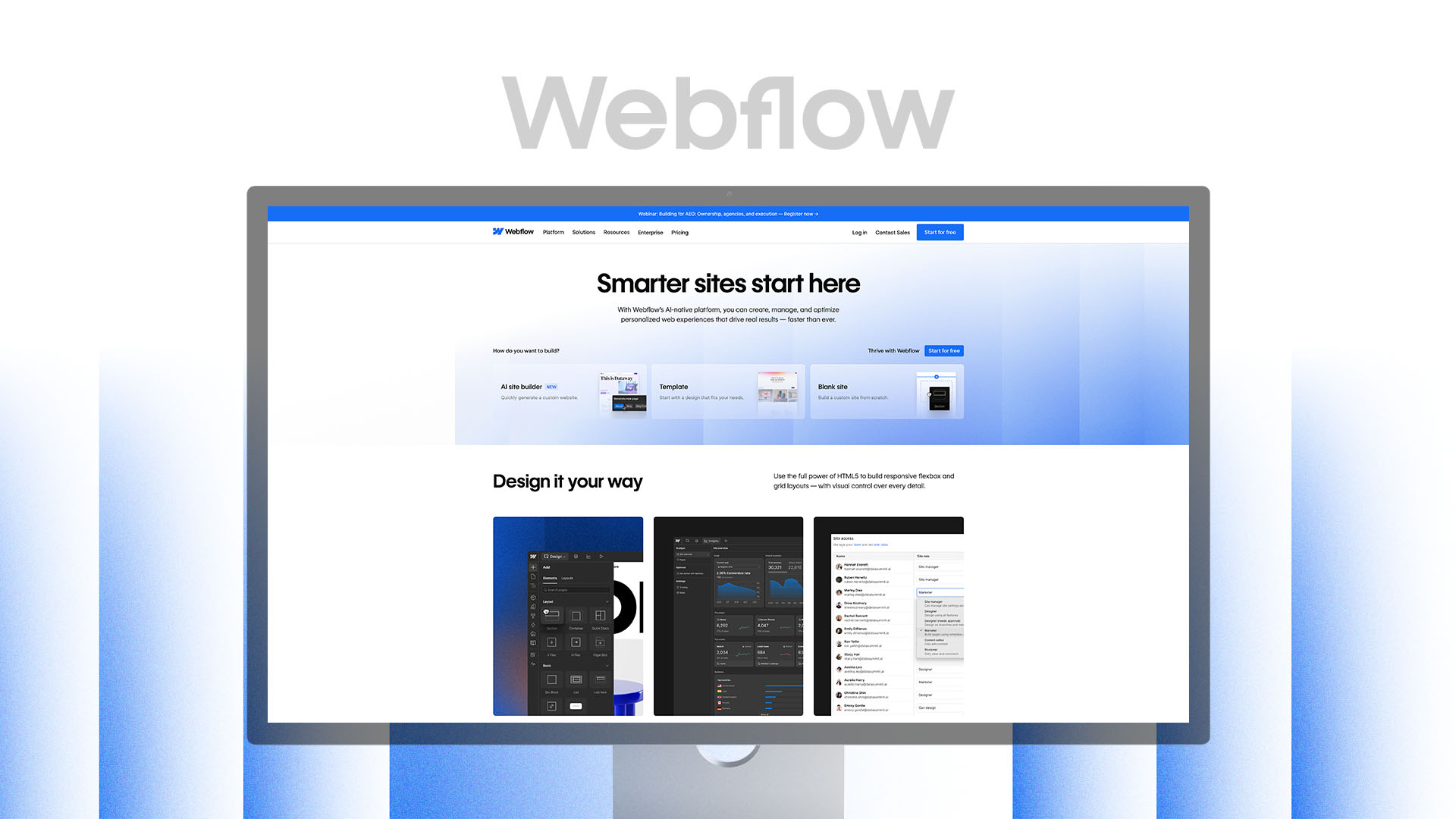
1. Webflow AI Features
What It Does: Webflow recently integrated AI-assisted design suggestions, content generation, and layout optimization within their professional no-code platform.
Why It Converts: Unlike pure AI builders that lock you into templates, If you haven’t seen what free AI builders actually limit, this is eye-opening. Webflow AI suggests improvements while giving you full design control. You get AI speed without sacrificing brand uniqueness.
Best For: Service businesses, SaaS startups, professional consultants who need custom branding.
This is exactly why our done-for-you website development uses Webflow as a foundation.
Pricing: $14-39/month for hosting; design work requires expertise.
Real Results: We used Webflow AI features to build a consulting firm's site. The AI-suggested layout adjustments increased their contact form submissions by 47% compared to their original design concept.
8Spark's Take: This is our primary platform. The AI assists but doesn't dictate, which means every site looks unique while benefiting from data-driven suggestions.

2. Framer AI
What It Does: Framer's AI generates complete website sections from text prompts. Describe what you need, and it creates functional components instantly.
Why It Converts: Framer AI understands modern design patterns. The components it generates follow current UX best practices—proper spacing, mobile-first design, accessible color contrast.
Best For: Startups, tech companies, modern brands that want cutting-edge design aesthetics.
Pricing: $5-30/month depending on features needed.
Real Results: A fintech startup used Framer AI to create their pricing comparison table. The AI-generated component was clearer than their original design, reducing customer support questions by 31%.
8Spark's Take: Excellent for rapid prototyping. We use it in early design phases to explore concepts quickly before refining the strategy.
We often start concepts here before moving into custom UI/UX design tailored to the brand.

3. Wix AI (ADI - Artificial Design Intelligence)
What It Does: Completely automated website creation. Answer questions, and Wix generates a full site in minutes.
Why It Has Limitations: Fast but generic. Every Wix AI site pulls from the same template library, making differentiation difficult.
Best For: Temporary landing pages, quick testing, very small local businesses with minimal budgets.
Pricing: $16-45/month for business plans.
Real Results: A local yoga studio launched with Wix AI in one day. It worked for initial validation but they switched to a custom Webflow site after six months to improve conversion rates.
8Spark's Take: Good for speed, not for serious conversion optimization. Use it to test concepts, not as your permanent solution.
Category 2: AI Content and Copywriting Tools

4. ChatGPT (GPT-4)
What It Does: Conversational AI that helps with content strategy, copywriting, SEO research, and problem-solving.
Why It Converts: When prompted correctly, ChatGPT generates customer-focused copy that addresses real pain points. It's also excellent for SEO keyword research and content planning.
Combined with SEO and digital marketing services, this becomes a powerful growth engine.
Best For: Every small business. It's the most versatile AI tool available.
Pricing: Free tier available; ChatGPT Plus at $20/month for GPT-4 access.
How 8Spark Uses It:
Generating 10-15 headline variations to test which resonates best
Creating FAQ sections based on customer questions
Developing content outlines for service pages
Brainstorming value propositions from different angles
Pro Tip: Generic prompts get generic results. Instead of "write about my accounting services," try: "Write a compelling value proposition for small business owners who feel overwhelmed by tax compliance and are searching for a trusted local accountant who explains things in plain English."
Real Results: We rewrote a law firm's homepage using ChatGPT-assisted copy focused on client anxieties rather than legal credentials. Consultation bookings increased 64% in 30 days.

5. Jasper AI
What It Does: AI copywriting tool trained specifically for marketing content. Creates blog posts, ad copy, email campaigns, and website content.
Why It Converts: Jasper understands marketing frameworks like AIDA (Attention, Interest, Desire, Action) and PAS (Problem, Agitate, Solution). It structures copy to drive action.
Best For: Businesses that need volume—multiple service pages, regular blog content, email sequences.
Pricing: $49-125/month depending on word count needs.
Best Features:
Template library for specific use cases (landing pages, product descriptions, etc.)
Brand voice customization so output matches your tone
SEO mode that incorporates target keywords naturally
Real Results: An e-commerce brand used Jasper to rewrite 45 product descriptions. Average time-on-page increased 34%, and add-to-cart rate improved 28%.
8Spark's Take: Excellent for scaling content production, but always requires human editing for brand accuracy and emotional resonance.

6. Copy.ai
What It Does: Similar to Jasper but more beginner-friendly. Focuses on short-form copy like headlines, CTAs, and social media posts.
Why It Converts: Great for A/B testing multiple variations. Generate 20 headline options in seconds and test which performs best.
Best For: Small businesses managing their own content who need quick inspiration and variations.
Pricing: Free tier available; paid plans start at $49/month.
8Spark's Use Case: We use Copy.ai during strategy sessions with clients to rapidly explore messaging angles, then refine the winners.
Category 3: AI Design and Visual Tools

7. Midjourney / DALL-E 3
What It Does: AI image generation from text descriptions. Create custom graphics, illustrations, and conceptual images.
Why It Converts: Custom visuals stand out. Stock photos scream "generic." AI-generated images can be unique to your brand while being faster and cheaper than custom photography.
Best For: Businesses needing unique hero images, illustrations, or conceptual graphics that don't exist in stock libraries.
Pricing:
Midjourney: $10-60/month
DALL-E 3: Included with ChatGPT Plus ($20/month)
Real Results: A sustainability consulting firm used Midjourney to create custom illustrations showing their process. Visual engagement increased 89% compared to stock photos.
Important Limitation: AI images aren't photo-realistic enough for product photography or professional headshots yet. Use for conceptual work, not literal representation.
8Spark's Approach: We use AI-generated images for creative concepts and backgrounds, but combine them with professional photography for credibility-building content.

8. Canva AI (Magic Design)
What It Does: Canva's AI creates complete designs from brief descriptions. Also offers background removal, image enhancement, and smart resizing.
Why It Converts: Ensures visual consistency across your website. The AI maintains brand colors, fonts, and style automatically.
Best For: Small businesses creating their own graphics for social media, blog headers, and website banners.
Pricing: Free tier available; Canva Pro at $15/month unlocks AI features.
Pro Tip: Use Canva AI to create on-brand graphics quickly, but avoid using Canva for your actual website design—the exports aren't optimized for web performance.
Category 4: AI SEO and Analytics Tools

9. Surfer SEO
What It Does: AI-powered SEO content optimization. Analyzes top-ranking pages and tells you exactly what to include to rank higher.
Why It Converts: Better rankings mean more qualified traffic. Surfer AI ensures your content matches what Google rewards.
Best For: Businesses serious about ranking for specific keywords and driving organic traffic.
Pricing: $69-219/month depending on content volume.
Key Features:
Content editor that scores your writing in real-time
Keyword suggestions based on competitor analysis
SERP analyzer showing what's ranking and why
Real Results: We optimized a client's service pages using Surfer SEO. Three pages moved from position 15-20 to positions 3-5 within 60 days, tripling organic inquiry volume.
8Spark's Process: We use Surfer for every blog and service page we create, ensuring content is optimized before publication rather than guessing and hoping.

10. Hotjar AI (User Behavior Analysis)
What It Does: AI-powered heatmaps, session recordings, and user feedback analysis. Shows exactly how visitors interact with your site.
Why It Converts: You discover where people get confused, what they ignore, and where they drop off. Then you fix those problems.
Best For: Any business getting traffic but not conversions. The AI identifies patterns human analysis might miss.
Pricing: Free tier available; paid plans start at $39/month.
What We've Learned Using It:
People rarely scroll below 2.5 screens on service pages (put your CTA higher)
Mobile users tap images expecting them to expand (make important images clickable)
Forms with more than 5 fields see 60% drop-off (simplify ruthlessly)
This is exactly why conversion-focused redesigns outperform DIY layouts.
Real Results: Hotjar analysis showed visitors leaving a client's site because the pricing page loaded slowly. We fixed the issue, and conversions increased 52% overnight.

11. Clearscope
What It Does: AI content optimization focused on topical relevance and user intent. Ensures your content comprehensively covers what searchers actually want to know.
Why It Converts: Content that thoroughly answers questions ranks better and builds more trust, leading to higher conversion rates.
Best For: Content-heavy websites, blogs, and businesses using content marketing for lead generation.
Pricing: $170-1,200/month (enterprise-level tool).
8Spark's Take: Worth it for businesses publishing 10+ optimized articles monthly. For smaller volumes, Surfer SEO offers better value.
Category 5: AI Conversion Optimization Tools

12. Unbounce Smart Traffic
What It Does: AI automatically routes visitors to the landing page variant most likely to convert them based on their characteristics.
Why It Converts: Instead of showing everyone the same page, the AI personalizes the experience. Visitors from Facebook see different messaging than Google searchers.
Best For: Businesses running paid advertising campaigns with landing pages.
Pricing: $90-225/month depending on traffic volume.
Real Results: A home services company saw 31% conversion lift after implementing Smart Traffic. The AI learned that mobile visitors converted better with simpler forms while desktop users preferred detailed information first.

13. VWO (Visual Website Optimizer) with AI
What It Does: A/B testing platform with AI-powered insights. Tests different versions of pages and uses AI to predict winners faster.
Why It Converts: Removes guesswork. You know definitively which headlines, images, and layouts drive more conversions.
Best For: Established businesses with enough traffic to run meaningful tests (minimum 1,000 visitors/month).
Pricing: Custom pricing based on traffic volume.
8Spark's Approach: We set up VWO for clients on monthly retainers, continuously testing and improving conversion rates over time.
Category 6: AI Chatbots and Customer Engagement

14. Intercom AI Chatbot (Fin)
What It Does: AI chatbot that answers customer questions instantly using your website content and help docs as training material.
Why It Converts: Visitors get immediate answers instead of waiting for email responses. Questions answered = objections removed = higher conversions.
Best For: SaaS, e-commerce, and service businesses with complex products that require explanation.
Pricing: $74/month base + AI bot fees based on usage.
Real Results: A SaaS company added Intercom's AI bot and reduced "How does pricing work?" support emails by 78% while increasing trial signups by 23%.
Important Note: Bad chatbots annoy users. Only implement if the AI is well-trained on accurate information.

15. Drift Conversational AI
What It Does: AI-powered live chat that qualifies leads through conversation, then routes high-value prospects to your sales team.
Why It Converts: Captures leads 24/7 even when you're offline. The AI asks qualifying questions so you only talk to serious prospects.
Best For: B2B businesses with defined buyer personas and sales teams.
Pricing: $2,500+/month (enterprise tool).
8Spark's Take: Excellent ROI for businesses where one new client is worth $10,000+. Overkill for small local businesses.
The AI Tool Stack By Business Type
Different businesses need different tools. Here's what we recommend:
For Local Service Businesses (Plumbers, Dentists, Salons)
Essential AI Tools:
Wix AI or Framer - Quick, affordable website setup
ChatGPT - Content creation and local SEO optimization
Canva AI - Social media graphics and promotional materials
Google Business Profile AI - Automated review responses and Q&A
Total Monthly Investment: $40-80
Why This Stack: Local businesses need online presence and local SEO, not complex functionality. This stack gets you there affordably.
Especially for businesses struggling with low inquiries despite decent traffic.
For E-commerce Stores
Essential AI Tools:
Shopify with AI apps - Platform with built-in AI product recommendations
Jasper AI - Product description writing at scale
Hotjar AI - Understanding customer behavior and cart abandonment
ChatGPT - Customer service scripts and email sequences
Total Monthly Investment: $150-250
Why This Stack: E-commerce conversion depends on clear product information and smooth purchasing experience. These tools optimize both.
For SaaS and Tech Startups
Essential AI Tools:
Webflow with AI features - Custom, scalable website
Surfer SEO - Content that ranks and educates
Intercom AI - 24/7 customer support and lead qualification
VWO - Continuous conversion optimization
ChatGPT Plus - Product messaging and documentation
Total Monthly Investment: $300-500
Why This Stack: SaaS requires education, trust-building, and seamless onboarding. This stack handles all three while scaling with you.
Most SaaS founders start with AI builders, then switch after seeing real performance differences.
For Professional Services (Consultants, Agencies, Advisors)
Essential AI Tools:
Framer - Modern, credible website design
ChatGPT Plus - Thought leadership content and case study development
Jasper AI - Blog content that demonstrates expertise
Calendly AI - Smart meeting scheduling
Canva AI - Presentation and proposal templates
Total Monthly Investment: $120-180
Why This Stack: Professional services sell expertise. This stack helps you demonstrate credibility through content while making it easy for prospects to engage.
How 8Spark Combines AI Tools with Human Strategy
AI tools are powerful, but they're just that—tools. Here's how we use them to deliver results:
The 8Spark Process
Week 1: Strategy (Human-Led)
Deep dive into your business, audience, and competitive landscape
Define conversion goals and user journeys
Create messaging framework and brand positioning
AI tools used: ChatGPT for competitive research, Hotjar for existing site analysis
Week 2: Design (AI-Assisted, Human-Directed)
Create custom design concepts in Figma
Use Framer AI to quickly prototype multiple layout variations
Human designers refine AI suggestions based on brand strategy
AI tools used: Midjourney for custom graphics, Framer for rapid prototyping
Week 3: Development (AI-Accelerated)
Build in Webflow using AI-suggested optimizations
Use Jasper to generate initial content drafts
Human writers refine all copy for brand voice and emotional connection
AI tools used: Webflow AI, Jasper, Surfer SEO
This is part of our complete website development workflow.
Week 4: Optimization (Data-Driven)
Implement Hotjar for behavior tracking
Set up VWO for A/B testing framework
Configure analytics and conversion tracking
AI tools used: Hotjar AI, Google Analytics with AI insights
Ongoing: Continuous Improvement
Monthly review of conversion data
AI-assisted content creation for blog and resources
Iterative testing and refinement
AI tools used: Full stack as needed
The Result: Websites that convert 3-5x better than pure AI or pure traditional builds because we combine the best of both approaches.
The Biggest Mistakes People Make With AI Website Tools
Mistake 1: Trusting AI-Generated Copy Without Editing
AI writes grammatically correct content, but it often lacks emotional resonance and specific examples that build trust.
The Fix: Use AI for first drafts, then edit for authenticity. Add real stories, specific numbers, and personality.
Mistake 2: Using AI Design Without Strategic Direction
AI can create beautiful layouts, but beauty doesn't guarantee conversions. Without strategic hierarchy and clear CTAs, pretty sites fail.
The Fix: Define your conversion goals first, then use AI to execute the design that achieves them.
Before choosing any tool, it helps to see which website builders are actually worth using in 2026.
Mistake 3: Over-Relying on One AI Tool
Different tools excel at different tasks. Using only ChatGPT for everything means missing specialized capabilities.
The Fix: Build a tool stack. Use the best AI tool for each specific need.
Mistake 4: Ignoring Mobile Experience
Many AI builders optimize for desktop first. But 60%+ of traffic is mobile.
The Fix: Always preview and test AI-generated designs on actual mobile devices before publishing.
Mistake 5: Setting and Forgetting
AI tools work best when continuously refined. Websites need ongoing optimization.
The Fix: Schedule monthly reviews. Check analytics, run tests, and iterate. Either do this yourself or work with a partner like 8Spark on a retainer.
AI Tools to Avoid (and Why)
Not every AI tool delivers value. Here are some we don't recommend:
Generic AI Website Builders (10Web, Durable, etc.)
Problem: Template-locked designs that all look identical. No differentiation means poor conversion.
AI Stock Photo Generators for Professional Sites
Problem: Still not photo-realistic enough for credibility. Real photos or high-quality stock still win.
Fully Automated SEO Tools
Problem: They manipulate rather than optimize. Google's getting smarter at detecting and penalizing this.
"Set and Forget" AI Marketing Tools
Problem: Marketing requires strategy and adaptation. Tools that promise full automation usually underperform human-guided campaigns.
Measuring Success: What Actually Matters
AI tools are worthless if they don't improve results. Track these metrics:
Conversion Metrics
Form submission rate: Target 3-5% for B2B, 2-3% for B2C
Time to conversion: How many visits before someone converts?
Cart abandonment rate: E-commerce should be below 70%
Engagement Metrics
Pages per session: More indicates engagement
Bounce rate: Under 50% is good; under 40% is excellent
Session duration: 2+ minutes shows genuine interest
SEO Metrics
Organic traffic growth: Month-over-month improvements
Keyword rankings: Moving from page 2 to page 1
Click-through rate: 5%+ from search results is strong
Business Metrics
Cost per lead: Should decrease as conversion improves
Lead quality: Percentage of leads that become customers
ROI: Revenue generated vs website investment
8Spark's Guarantee: Every website we build includes analytics setup so you can track these metrics from day one.
The Bottom Line: AI Tools Amplify Strategy, They Don't Replace It
AI has fundamentally changed what's possible for small business websites. Tasks that took weeks now take hours. Capabilities that required $50,000 budgets are now accessible for hundreds per month.
But here's what hasn't changed: Strategy still matters more than execution.
The best AI tools in the world can't fix:
Unclear value propositions that don't resonate
Poor understanding of your target customer
Weak calls-to-action that don't motivate
Lack of trust-building elements
Confusing user journeys
AI tools are incredible amplifiers. Give them good strategy, and they'll execute it faster and cheaper than ever. Give them weak strategy, and they'll just build mediocrity efficiently.
The winning formula: Human strategy + AI execution + Continuous optimization
Ready to Build a High-Converting Website with the Right AI Tools?
Let us handle the strategy, tools, and execution while you focus on running your business. We've already invested thousands of hours mastering these AI tools and know exactly how to combine them for maximum results.
FAQs
Can AI tools really replace hiring a web designer or developer?
AI tools can replace basic execution work, but they can't replace strategy, brand thinking, or conversion expertise. If you need a simple personal website or are testing a business idea, AI tools alone can work. But for serious businesses where your website drives revenue, AI tools work best when guided by professionals who understand business strategy, user psychology, and conversion design. Think of it like this: AI is a power tool, but you still need a skilled carpenter to build a house properly.
How much should a small business budget for AI website tools monthly?
It depends on your business model and growth stage. A basic local service business can start with $40-80/month (Wix AI, ChatGPT, Canva). E-commerce stores should budget $150-250/month for optimization tools. SaaS and professional services seeing strong traffic should invest $300-500/month in comprehensive optimization. However, tool costs are just part of the equation—factor in your time learning and managing these tools, or budget for professional help to maximize their effectiveness.
Which AI tool gives the best ROI for conversion optimization?
Hotjar AI consistently delivers the highest ROI because it reveals exactly why visitors aren't converting. We've seen clients make simple fixes based on Hotjar insights—moving a CTA button, simplifying a form, fixing mobile layout issues—and see 30-50% conversion improvements overnight. It's not the flashiest tool, but it provides actionable insights that directly impact revenue. For content-focused businesses, Surfer SEO also delivers exceptional ROI by improving organic traffic quality.
Do AI-built websites rank as well on Google as custom-coded sites?
Yes, if they're properly optimized. Google doesn't care how your site was built—it cares about user experience, content quality, mobile responsiveness, and loading speed. AI-built sites on platforms like Webflow or Framer often rank better than poorly coded custom sites because they automatically implement technical SEO best practices. The key is combining AI tools with proper SEO strategy, quality content, and ongoing optimization. We've helped AI-built sites rank on page one for competitive keywords within 8-12 weeks.
Should I use multiple AI tools or stick with one platform?
Use specialized tools for different needs rather than relying on one all-purpose platform. ChatGPT excels at strategy and content ideation. Jasper is better for volume copywriting. Webflow is superior for custom design. Hotjar provides insights no other tool offers. The businesses seeing best results use 3-5 focused tools that work together rather than one platform trying to do everything mediocrely. 8Spark helps clients build the right tool stack for their specific needs and budget, then trains them on efficient workflows.


Ready to Stop Managing Vendors and Start Working With a Real Partner?
Let's have an honest, strategic conversation about your business challenges, growth goals, and whether we're the right team to help you achieve them.
Business Review
Market Analysis
Strategic Recommendations