How to Choose the Best Website Builder for Your Business in 2026

Get Your Website Audit
Share your details and we’ll analyze your site for key improvements within 24 hours.
Quick Answer
What Is the Best Website Builder in 2026?
The best website builder in 2026 depends on your needs. Webflow is suitable for design-focused marketing websites, Framer for portfolios and startup landing pages, WordPress.org for blogs and content-heavy websites, and Shopify for ecommerce stores. Wix and Squarespace are practical options for small businesses, while Readdy AI helps generate website drafts using AI. Compare pricing, SEO controls, integrations, maintenance and website portability before choosing a platform.
This guide to the best website builders 2026 compares eight platforms by purpose, cost, editing workflow, SEO controls and portability. Choose for your requirements, not a universal ranking. Custom development is discussed separately as an alternative, not a ninth website builder.
Before deciding, it’s important to understand what free AI website builders actually give you vs paid solutions.
In 2026, there are more website builder options than ever—from traditional platforms like WordPress to modern no-code tools like Webflow and Framer. Each has strengths and weaknesses, and what works for one business might be completely wrong for another.
In this comprehensive guide, you’ll discover:
You’ll find a decision snapshot, practical selection criteria, platform reviews, official pricing sources, transparent cost examples and migration advice. Recommendations are qualitative; this article does not report independently measured benchmark results.
Whether you’re a startup launching your first site, a growing business outgrowing your current platform, or an established company planning a redesign, this guide will help you make an informed decision that serves your business for years to come.
Website Builder Decision Snapshot (2026)
Platform | Shortlist for | Check first |
|---|---|---|
Webflow | Design-led marketing and CMS | Site/Workspace plans and add-ons are distinct |
Framer | Marketing sites and portfolios | Paid plan for custom domain; commerce integrations |
WordPress.org | Blogs and custom content | Separate hosting and maintenance |
Shopify | Product-focused ecommerce | Regional payments and app costs |
Wix | DIY business and booking sites | Local checkout price and editor limits |
Squarespace | Portfolios and service sites | Commerce/payment fees vary by plan |
Readdy AI | AI-assisted site drafts | Credits, hosted sites and export allowances |
Nicepage | Visual design and CMS/HTML export | Subscription versus license; host choice |
What is a Website Builder?
Understanding Website Builders in 2026
A website builder is a platform that allows you to create and manage a website without extensive coding knowledge. Modern website builders have evolved dramatically from the basic template editors of the past.
Types of Website Builders
Type | Builders | Best For | Technical Skill |
|---|---|---|---|
Traditional CMS | WordPress | Blogs, SEO, ownership | Medium–High |
No-Code Visual Builders | Webflow, Framer | Marketing sites, startups | Low–Medium |
AI-Native Builders | Readdy AI | Instant generation, MVPs | None |
DIY Builders | Wix, Squarespace | Small businesses | Low |
E-Commerce Platforms | Shopify | Product selling | Low–Medium |
Custom Development | React, Next.js | SaaS, enterprise | High |
If you want a practical walkthrough, here’s how to build a website without coding using modern no-code platforms.
What’s Changed in 2026?
Features to evaluate: availability differs by platform and plan. No built-in feature automatically guarantees accessibility, legal compliance, SEO rankings or performance.
AI-Powered Features:
AI content generation
Automated design suggestions
Smart SEO recommendations
Intelligent image optimization
Performance First:
Advanced No-Code:
Complex animations without code
Custom interactions
Database functionality
API integrations
Better SEO:
Clean code output
Structured data support
Automatic sitemaps
Mobile-first indexing
Enhanced Security:
Automatic SSL
Regular security updates
DDoS protection
Compliance features (GDPR, CCPA)
Website Builders: Then vs Now
Approach | Practical difference |
|---|---|
Hosted builder | Hosting bundled; plan-specific features and quotas |
WordPress.org | Separate hosting; configurable themes/plugins |
Custom application | Engineering and infrastructure managed separately |
How we evaluated these platforms
Last updated: 11 October 2026. This update compares official pricing and documentation with practical business requirements. No independent speed tests or user-rating dataset is claimed. Earlier star scores are not a reproducible rating system; recommendations are qualitative. Existing author information is unchanged because no new verified author credentials were supplied.
Commercial disclosure: the existing article identifies sponsored positions for Readdy AI and Nicepage. The links inspected did not establish a separate affiliate commission arrangement; confirm with the editor before adding such a claim. Sponsorship does not establish product superiority.
How we evaluated the platforms
This is a documentation-based comparison of design control, publishing, CMS, commerce, SEO, cost and portability. No reproducible hands-on testing dataset or scoring rubric was available for this update. Earlier speed scores, review counts, market-growth statistics and star ratings should not be treated as measured evidence. Official sources were accessed on 11 October 2026; checkout, location and legacy accounts can change what you pay.
Key Factors to Consider
12 Critical Factors to Evaluate When Choosing a Website Builder
Before diving into specific platforms, understand what matters for your business.
1. Ease of Use
Why it matters: Time is money. Complex platforms require more learning time and potentially hiring developers.
Evaluate:
Can you (or your team) use it without training?
How intuitive is the interface?
Are there templates to start from?
Can non-technical staff make updates?
Best for ease of use: Wix, Squarespace, Framer, Readdy AI
Requires more learning: WordPress, Webflow
Needs developer: Custom development
2. Design Flexibility
Why it matters: Your website should reflect your unique brand, not look like a template.
Evaluate:
Can you customize every aspect?
Are you limited to pre-made templates?
Can you create custom layouts?
How much control over design details?
Best for flexibility: Webflow, Custom Development
Good flexibility: Framer, WordPress (with builder)
Limited flexibility: Wix, Squarespace, Shopify
3. Scalability
Why it matters: As your business grows, your website needs should grow too without platform limitations.
Evaluate:
Can it handle traffic growth (10K → 100K visitors)?
Are there page/product limits?
Can you add complex features later?
Does pricing scale reasonably?
Scalability: check quotas, architecture, editorial roles, integrations and total operating budget rather than a universal platform ranking.
Good scalability: Webflow, Shopify
Wix and Squarespace can support growing businesses; validate your workload and actual plan limits.
4. Performance & Speed
Page speed and Core Web Vitals depend on images, fonts, scripts, layout, hosting and network conditions. A builder does not guarantee rankings or a PageSpeed score. Test representative pages on mobile and inspect real-user data when available.
Factor | What to check |
|---|---|
Mobile speed | Representative pages, realistic mobile connection |
Core Web Vitals | Layout shifts, interaction responsiveness and loading |
Scripts and media | Image sizes, fonts, embeds and tracking |
Evidence | No platform-wide load times or PageSpeed benchmarks verified |
For a separate discussion of AI-assisted workflows, read our comparison of AI website builders vs traditional builders.
5. SEO Capabilities
For SEO, compare metadata, URL and canonical controls, sitemaps, redirects, structured data and editorial workflows rather than declaring one platform universally best.
Webflow and WordPress can suit complex content and technical customization; Framer, Wix, Squarespace and Shopify can support search-friendly websites when configured carefully.
Wix should not be dismissed as unsuitable for SEO. Evaluate the controls available in the actual editor and plan, then test your implementation.
6. E-Commerce Functionality
Best for e-commerce: Shopify, WooCommerce
Webflow has dedicated ecommerce plans; Squarespace and Wix include commerce on eligible paid plans.
Framer typically requires an external commerce service or integration for checkout, orders and inventory.
WordPress needs ecommerce software such as WooCommerce. Readdy now advertises a Shopify integration; verify the complete checkout, inventory and subscription requirements before choosing it.
7. Content Management
Best CMS: WordPress, Webflow
Good CMS: Framer, Squarespace
Basic CMS: Wix, Shopify, Readdy AI
8. Integrations & Add-ons
Integration fit matters more than plugin counts. Check whether required payment gateways, CRM, booking, analytics and editorial tools are supported and what they cost.
9. Mobile Responsiveness
Mobile capability: test responsive layouts, menus, forms, checkout and accessibility on every shortlisted platform.
Good mobile: All modern builders
Requires work: Older WordPress themes
10. Support & Community
Support channels and response commitments depend on plan and country. Confirm the vendor’s current support documentation; do not assume phone support on every Shopify plan.
Good support: Squarespace, Wix
Community-based: WordPress, Webflow
Check current help centers, onboarding material and escalation options before signing a subscription.
11. Cost & Pricing Model
Compare total cost at your required feature level. Free software and free builder plans do not necessarily include a business domain, commerce or maintenance.
Mid-range: Framer, Squarespace, Webflow
Higher cost: Shopify, Custom Development
12. Ownership & Portability
Full ownership: WordPress (self-hosted), Custom
Portability varies: exporting content is not the same as exporting a working website, theme, forms or checkout.
Vendor lock-in: Some proprietary platforms
Before choosing any builder, understand the AI tools that actually improve website conversions beyond just design automation.
Complete Comparison Table
Best Website Builders 2026: At-a-Glance Comparison
Platform | Use case | Constraint |
|---|---|---|
Webflow | Design-led marketing and CMS | Site/Workspace plans and add-ons are distinct |
Framer | Marketing sites and portfolios | Paid plan for custom domain; commerce integrations |
WordPress.org | Blogs and custom content | Separate hosting and maintenance |
Shopify | Product-focused ecommerce | Regional payments and app costs |
Wix | DIY business and booking sites | Local checkout price and editor limits |
Squarespace | Portfolios and service sites | Commerce/payment fees vary by plan |
Readdy AI | AI-assisted site drafts | Credits, hosted sites and export allowances |
Nicepage | Visual design and CMS/HTML export | Subscription versus license; host choice |
Comparison methodology: these are capability-based editorial recommendations, not numerical performance ratings or independently validated scores.
Quick Recommendations:
Evaluation transparency and commercial disclosure
How to interpret these recommendations
No source-dated G2/Capterra dataset or documented 8Spark scoring rubric was supplied. Numerical ratings and user counts have therefore been replaced with qualitative advice.
Assessment | Evidence status |
|---|---|
8Spark ratings | No reproducible scoring rubric supplied; no numeric rating |
Third-party reviews | No source-dated review dataset verified |
Sponsorship | Existing disclosure identifies Readdy AI and Nicepage |
Performance | Qualitative discussion; no independent benchmark claim |
Readdy AI and Nicepage have sponsored positions according to the existing disclosure. Sponsorship is not evidence that either is objectively best. No new author credentials, endorsements or hands-on experience are claimed.
Detailed Platform Reviews
In-Depth Review of Each Website Builder
Readdy AI — AI-assisted site drafts

Readdy generates website drafts from prompts, templates, screenshots or URLs and offers visual editing. Treat generated content and code as drafts requiring accessibility, factual, SEO and functional review. This article does not establish that it is the fastest or most versatile builder.
What sets Readdy apart isn’t just speed — it’s the approach. Every other platform added AI as a feature. Readdy was built around AI from day one. Learn more about the team behind it.
Who It’s For:
Solo founders and startups needing fast MVPs
Agencies building client sites at scale
Non-technical users wanting professional results
Developers who want to skip boilerplate frontend work
Businesses wanting to recreate or take inspiration from competitor layouts
Who It’s NOT For:
Avoid Readdy if your critical editorial, commerce or backend workflows cannot be demonstrated in a trial. The official Shopify integration requires an active Shopify store; both subscriptions and payment costs must be considered.
Pros | Limitations |
|---|---|
Prompt/reference generation and visual editing | Generated content and functionality need review |
Paid export, hosting and backend | Credits, projects, storage and sites vary |
Shopify integration documented | Requires active Shopify store and its costs |
Readdy AI pricing (USD; source checked 11 October 2026)
Plan | USD monthly / annual equivalent | Verified allowances |
|---|---|---|
Free | $0 | 250 credits/month; 2 projects; 200 MB; 0 hosted sites |
Starter | $25 / $15 ($180/year) | 30,000 annual credits upfront; 10 projects; 1 site; 1 GB |
Pro | $40 / $24 ($288/year) | 72,000 annual credits upfront; 50 projects; 2 sites; 5 GB |
Agency | $120 / $72 ($864/year) | 216,000 annual credits; 150 projects; 6 sites; 10 GB |
Agency Pro | $199 / $119 ($1,428/year) | Unlimited credits; 250 projects; 10 sites; 20 GB |
Ultimate | $1,299 / $779 ($9,348/year) | Unlimited credits/projects/sites/storage advertised; verify fair-use terms |
The displayed one-year Readdy prices are monthly equivalents billed for an annual term, not month-to-month rates. Annual credits are supplied upfront. Confirm taxes, domain renewal, overages and the selected billing term at checkout.
Official pricing source: Readdy pricing, accessed 11 October 2026. Older INR conversions and third-party credit limits have been replaced.
Performance Metrics:
SEO Capabilities:
Readdy documents editable metadata, URLs, sitemap and robots settings. Shopify checkout requires an active Shopify store. Redirect management, custom schema, CMS/page/bandwidth caps and fair-use rules require manual documentation review; do not assume unlimited capacity.
Key Features in Detail:
1. AI Website Generation from Text, Screenshots, or Links Generate a complete, production-ready website using natural language prompts. Describe your business and Readdy structures pages, sections, and content automatically. Alternatively, upload a screenshot or paste a reference URL — Readdy converts either into a fully editable web project.
2. Visual No-Code Editor After generation, refine your site using a visual editor. Adjust components, sections, text, and styles without touching any code. Ongoing AI assistance helps with layout and content refinement at any stage.
3. Website Templates Choose from a library of templates covering common business and personal website use cases — a solid starting point before or after AI generation.
Code export is listed on paid Readdy plans. Review exported code and deployment requirements; export is not a guarantee of production quality or a one-click import into another visual builder.
5. Built-in Hosting & Custom Domain Paid plans include hosting with custom domain support, so you go from prompt to published with no extra setup.
6. Readdy AI Agent (on-site chatbot) A built-in AI assistant lives on your published site, answers visitor questions, and integrates with Google Calendar and Calendly for appointment booking.
Figma export: manual review required. The current pricing page accessed for this update did not establish its availability or eligible plans.
Use Cases:
Startup MVP: an AI-assisted draft can help explore a product showcase or waitlist concept. Validate content, consent, forms, accessibility and required integrations before launch.
Agency sites: use a client brief or licensed references for a starting draft, then review design, content and code. Do not copy competitors’ protected content or assets.
Portfolio/personal brand: evaluate design editing, domain connection, image rights and export requirements. Launch effort depends on scope.
Landing pages: prototype messaging and lead capture, then validate actual forms, consent and analytics. A generation time is not a tested launch or conversion result.
Final verdict
Readdy.ai - The Best AI-Powered Website Builder is genuinely impressive for what it does. The ability to generate production-ready websites from text prompts, screenshots, or existing URLs sets it apart from every other builder in this list. The visual no-code editor, clean code export, and built-in hosting make it a serious tool for startups, agencies, and non-technical founders alike.
Important limitations: generation consumes credits, project/storage/site allowances vary by plan, and exported code needs technical review. No unsupported billing-complaint or blanket no-refund claim is retained.
When we recommend Readdy AI:
Verdict: shortlist Readdy for AI-assisted drafts and marketing websites. Avoid relying on it for critical workflows until integrations, export, recovery and operating limits have been demonstrated in your trial.
1. Webflow — The Designer’s Choice

Overview: Webflow is a professional no-code platform that gives you the power of custom code through a visual interface. It’s the go-to choice for designers and agencies who want complete creative control without writing code.
Who It’s For:
Marketing agencies
Design-focused businesses
Companies wanting custom designs
Startups needing fast, professional sites
Businesses with in-house designers
Who It’s NOT For:
Avoid Webflow if your team cannot maintain the design workflow or required plan/add-on budget. Assess ecommerce item limits rather than a blanket 100-product rule.
Pros | Limitations |
|---|---|
Visual design, CMS and hosted publishing | Learning curve; per-site and Workspace pricing |
Metadata, redirects and schema controls | CMS and features depend on plan |
Dedicated commerce plans | Payment fees and ecommerce item limits |
Webflow pricing (USD; source checked 11 October 2026)
Site plan | USD annual-billing equivalent | Verified allowances |
|---|---|---|
Starter | Free | Webflow.io; 2 static pages; 50 CMS items; 1 GB/month |
Basic | $15/month ($180/year) | Custom domain; 300 static pages; no CMS; 10 GB/month |
Premium | From $25/month ($300/year) | CMS; pricing matrix lists 20,000 items/40 collections; bandwidth tier starts at 50 GB |
Team | $2,500/month; annual contract | Platform plan; bundled Workspace/governance; not a small-site price |
Enterprise | Custom | Contract-specific limits and SLA |
E-Commerce Plans
Ecommerce plan | USD annual-billing equivalent | Items / platform fee |
|---|---|---|
Standard | $29/month ($348/year) | 500 ecommerce items; 2% plus processor fees |
Plus | $74/month ($888/year) | 5,000 items; 0% platform fee; processor fees remain |
Advanced | $212/month ($2,544/year) | 15,000 items; 0% platform fee; processor fees remain |
Performance Metrics:
SEO capabilities: Webflow pricing documents metadata, canonical tags, sitemap controls, schema support and redirects with plan restrictions. Basic has no CMS. Workspace and site fees are distinct; verify code export eligibility separately.
Use Cases & Examples:
Marketing Website: Service pages with custom layouts, interactive case studies, lead generation forms, blog/content hub. Example: Agency portfolio sites
SaaS Landing Page: Product demos, pricing tables, video backgrounds, user testimonials. Example: Tech startups
Portfolio: Project showcases, custom animations, image galleries, contact forms. Example: Designer portfolios
Final verdict
Verdict: Webflow is a strong shortlist for design-led marketing sites and structured content. Avoid it if your team needs a simpler editing workflow or the necessary plan and add-ons exceed your budget.
When we recommend Webflow:
Ideal use cases: custom marketing design, structured content and teams willing to learn the editor. Commissioned design is optional and priced separately.
2. Framer — Visual marketing sites

Framer combines visual design, reusable components, CMS and hosted publishing. It is a practical option for marketing websites, portfolios and startup launches; speed of delivery depends on scope and team familiarity.
Who It’s For:
Startups needing quick launches
Modern tech companies
Design teams using Figma
MVPs and product launches
Simple to medium complexity sites
Who It’s NOT For:
Check Framer’s current page, CMS item/collection and bandwidth quotas. Avoid it if your content workflow, self-hosting requirement or external commerce architecture cannot be met.
Pros | Limitations |
|---|---|
Visual design, CMS and hosted publishing | Plan and add-on quotas |
Metadata, sitemap and custom code | Redirects on Pro; verify export needs |
Free hosted exploration | Custom domain requires paid plan; external commerce |
Framer pricing (USD; source checked 11 October 2026)
Plan | USD annual-billing equivalent | Verified allowances |
|---|---|---|
Free | $0 | Framer domain; 1 GB; 500 trial AI credits; no custom domain |
Basic | $10/month ($120/year) | 30 pages; 2 CMS collections; 1,000 items; 50 GB; 1,000 credits/month |
Pro | $30/month ($360/year) | 150 pages; 10 collections; 2,500 items; 100 GB; 3,000 credits/month; redirects/staging |
Enterprise | Custom | Contract-specific limits; security and SLA |
Real Cost Example:
Framer Free publishes on a Framer domain. A paid plan is required to connect your own domain; domain registration alone is not sufficient.
Performance Metrics:
SEO capabilities: Framer documents metadata, URL slugs, sitemaps, canonicals and schema through custom code. Pro includes site redirects. Built-in controls do not guarantee rankings.
Use Cases:
Startup Landing Page: Quick MVP launch, product showcase, waitlist signup. Timeline: 1-2 weeks
Portfolio: Designer portfolio, photography site, case studies. Timeline: 1 week
Marketing Site: 5-10 page company site, service showcase, contact forms. Timeline: 2-3 weeks
Final verdict
Verdict: shortlist Framer for visually designed marketing sites with hosted publishing. Avoid it when you require a self-hosted export or native full-store management that your chosen integration cannot supply.
When we recommend Framer:
Speed is critical (launch in 1-2 weeks)
Modern, tech-forward design needed
Budget is tight (free tier available)
Simple to medium complexity
Startup or small business
3. WordPress — The Flexible Giant

WordPress.org is free, open-source CMS software, distinct from WordPress.com subscriptions. You choose hosting, themes, plugins and maintenance arrangements. This flexibility is useful for blogs, publications and custom integrations.
Who It’s For:
Blogs and content-heavy sites
Businesses needing specific plugins
Those wanting complete ownership
SEO-focused companies
Sites requiring custom functionality
Businesses with developers
Who It’s NOT For:
Complete beginners
Those wanting “set and forget”
Small budgets (when including maintenance)
People who hate updates
Pros | Limitations |
|---|---|
Open-source content and extensibility | Hosting, updates and backup responsibility |
Blogs, roles, themes and plugins | Plugin quality, conflicts and renewal costs |
Flexible technical SEO | Configuration and performance require care |
WordPress Pricing (INR – Realistic)
Software: FREE
Hosting Options
Hosting decision | Budget treatment |
|---|---|
Shared / managed / VPS | Request provider quotes including renewal, storage and support |
Hosted capacity | Traffic, backups and security depend on provider |
Additional Costs
Extra | Budget treatment |
|---|---|
Domain | Actual renewal price |
Theme and plugins | Optional; check annual renewal versus one-time license |
SSL | Check hosting inclusion; do not double-count |
Maintenance | DIY staff time or separately quoted service |
Real Cost Example:
Illustrative managed WordPress budget, not vendor pricing: hosting ₹15,000/year + domain ₹1,000/year + plugins ₹8,000/year + optional maintenance ₹10,000/month × 12 = ₹1,44,000 recurring annually. Add an assumed one-time theme purchase of ₹5,000: Year 1 ₹1,49,000; five years ₹7,25,000. Design, taxes, payment fees and increases are excluded. DIY maintenance can reduce the estimate.
Performance Metrics:
SEO capabilities: configurable permalinks, content structure and an extensible theme/plugin ecosystem. Metadata, redirects and structured data commonly use plugins or custom implementation. Their quality depends on configuration; WordPress does not automatically deliver the best SEO.
Use Cases:
Content-Heavy Blog: News websites, magazine sites, multi-author blogs. Timeline: 4-8 weeks
Corporate Website: Multi-page business site, service pages, team profiles, case studies. Timeline: 6-10 weeks
E-Commerce Store: WooCommerce setup, hundreds of products, complex inventory, multiple payment options. Timeline: 8-12 weeks
Membership Site: Gated content, user accounts, subscription payments, community features. Timeline: 8-16 weeks
Final verdict
WordPress remains the most flexible platform, especially for content-heavy sites. However, the maintenance burden and potential security issues prevent it from being perfect. Best when you have technical resources or budget for managed services.
When we recommend WordPress:
Heavy blogging/content needs
Need specific plugins
Want complete ownership
Have technical team or budget for maintenance
SEO is top priority
E-commerce (WooCommerce)
4. Shopify — Commerce-focused publishing
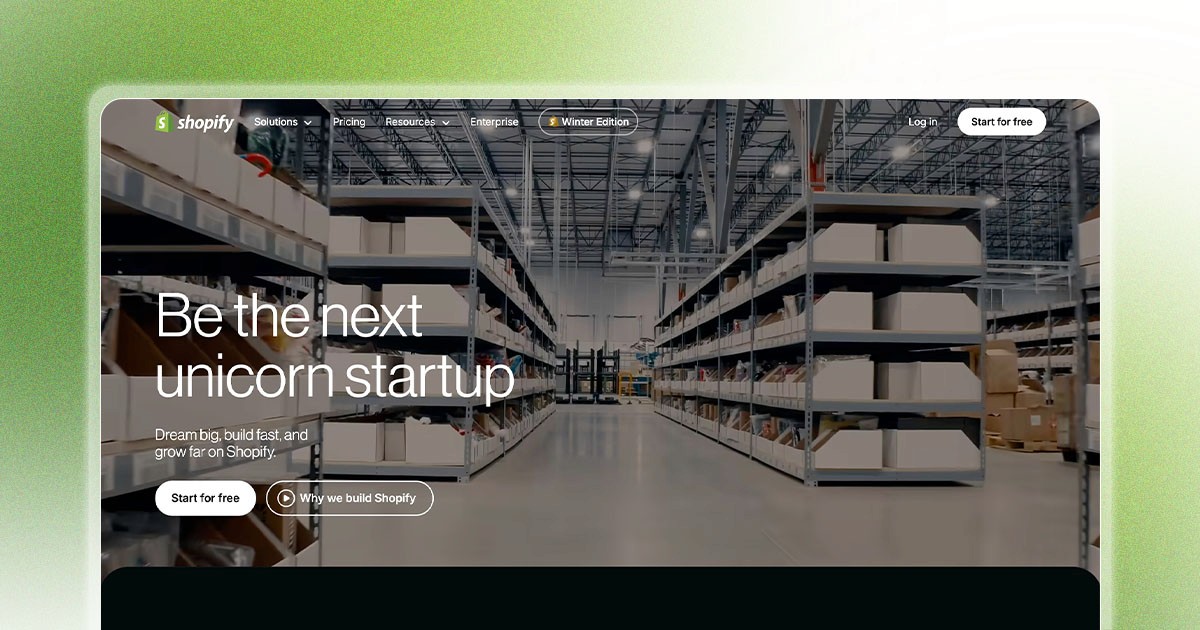
Shopify is a hosted commerce platform for products, inventory, orders and checkout. It is a strong shortlist for ecommerce, not necessarily the most economical choice for a brochure site or content-first publication.
Who It’s For:
E-commerce stores (primary purpose)
Product-based businesses
Dropshipping businesses
Retail stores going online
Growing online stores
Omnichannel retail
Who It’s NOT For:
Service-based businesses (no products)
Content/blog-focused sites
Simple brochure websites
Very small budgets
Pros | Limitations |
|---|---|
Products, inventory, orders and checkout | Plan, gateway and app costs |
Hosting and unlimited bandwidth included | Regional payment/service availability |
Commerce-focused ecosystem | Theme, content and URL constraints |
Shopify India pricing (INR; source checked 11 October 2026)
Plan | INR monthly / annual equivalent | Third-party provider fee |
|---|---|---|
Basic | ₹1,994 / ₹1,499 (₹17,988/year) | 2% plus gateway charges |
Grow | ₹7,447 / ₹5,599 (₹67,188/year) | 1% plus gateway charges |
Advanced | ₹30,164 / ₹22,680 (₹2,72,160/year) | 0.6% plus gateway charges |
Plus | From ₹1,75,000/month | 0.2% displayed; contract and eligibility review required |
Real Cost Example (Medium Store):
Illustrative Grow-store estimate: annual-billing subscription ₹5,599 × 12 = ₹67,188/year; assumed apps ₹4,000 × 12 = ₹48,000/year; assumed domain ₹1,000/year. Recurring total ₹1,16,188/year; five years ₹5,80,940 with no setup fee. Hosting is already included. Taxes, gateway charges, Shopify third-party transaction fees, optional development and increases are excluded.
Performance Metrics:
SEO capabilities: Shopify documents metadata and sitemap workflows; structured data depends on themes/apps. URL conventions constrain customization. Do not apply US Shopify Payments card rates to Indian merchants; confirm local gateway availability and fees.
Use Cases:
Product Store: Physical products, inventory management, multiple variants. Example: Clothing store
Dropshipping: validate a currently supported supplier and fulfillment app. Oberlo is not a current integration to recommend.
Digital Products: Ebooks, courses, downloads, subscriptions. Example: Software, templates
Subscription Box: Recurring payments, member management. Example: Monthly boxes
Final verdict
Verdict: shortlist Shopify when selling is the primary purpose and its payment, shipping and app ecosystem fits your country. Avoid it for a content-only site where commerce costs add little value.
When we recommend Shopify:
Selling physical products
E-commerce is primary purpose
Need inventory management
Want omnichannel (online + retail)
Growing store (10-10,000 products)
Need reliable, secure platform
5. Wix — Integrated DIY business tools

Overview: Wix is one of the most user-friendly website builders, perfect for small businesses and beginners who want a quick, simple website without technical knowledge.
Who It’s For:
Complete beginners
Very small businesses
Restaurants, salons, small shops
Personal websites
Quick launches
Limited budgets
Who It’s NOT For:
Who should avoid it: teams that require self-hosted exported site code or workflows their selected Wix editor and plan cannot support. SEO and business growth alone are not reasons to rule out Wix.
Pros | Limitations |
|---|---|
Visual editing and business tools | Proprietary hosted workflow |
Documented SEO and structured-data controls | Plan/editor-specific limits |
Free hosted plan | Branding and custom-domain/payment restrictions |
Wix pricing: regional checkout review required
Plan | Price verification | Storage / payments |
|---|---|---|
Free | ₹0; regional features review | Hosted Wix address and branding; not a paid business domain |
Light | Manual checkout review | 2 GB; website basics |
Core | Manual checkout review | 50 GB; accept payments |
Business | Manual checkout review | 100 GB; accept payments |
Business Elite | Manual checkout review | Unlimited storage advertised; accept payments |
Wix commerce: use an eligible payment-enabled plan. Confirm payment-provider availability, processing fees, storage, CMS quotas and AI limits for your location. Exact local prices were not exposed in the retrieved official page and require manual checkout review.
Real Cost Example:
Wix total cost is pending manual review of the regional checkout price. Annual recurring = subscription charged for the chosen term + domain renewal + optional apps and maintenance. Hosting is included; do not add it again. A first-year domain voucher is not a lifetime domain.
Performance Metrics:
Wix’s official SEO page documents editable metadata, URL slugs, canonicals, maintained XML sitemaps, 301 redirects and customizable structured data. Wix is not inherently unsuitable for SEO.
Use Cases:
Small Business: Local restaurant, hair salon, photography. Timeline: 1-2 days
Portfolio: Artist portfolio, photography, creative professional. Timeline: 1 day
Event Site: Wedding website, conference site, one-time event. Timeline: Few hours
Final verdict
Verdict: Wix is a reasonable shortlist for small-business sites needing integrated editing and business tools. Test your required functionality and mobile pages before subscribing; growth and SEO depend on implementation.
When we recommend Wix:
Ideal use cases: local services, booking-led businesses and DIY websites. Budget against the local checkout price, required apps and domain renewal, not an obsolete Unlimited plan.
6. Squarespace — The Beautiful Builder

Overview: Squarespace is known for beautiful, designer-quality templates. It’s the middle ground between Wix (too simple) and Webflow (too complex), perfect for creative professionals and visual businesses.
Who It’s For:
Creative professionals
Photographers, artists, designers
Restaurants, hospitality
Small to medium businesses
Style-conscious brands
Portfolio sites
Who It’s NOT For:
Avoid Squarespace if required application logic, content workflows or commerce integrations cannot be supported. Store suitability depends on requirements, not a universal 100-product cutoff.
Pros | Limitations |
|---|---|
Templates, hosted publishing and commerce | Limited self-hosting and application customization |
Metadata, sitemaps and structured data | Plan-specific custom-code capabilities |
Trial available | No permanent free plan; fees depend on sale type |
Squarespace pricing (USD; source checked 11 October 2026)
Plan | USD monthly / annual equivalent | Store / digital-content platform fees |
|---|---|---|
Basic | $25 / $19 ($228/year) | 2% / 7% |
Core | $39 / $29 ($348/year) | 0% / 5% |
Plus | $65 / $49 ($588/year) | 0% / 1% |
Advanced | $139 / $99 ($1,188/year) | 0% / 0% |
Real Cost Example:
Squarespace Core annual-billing subscription is $29 × 12 = $348/year in the retrieved USD pricing view. Eligible annual plans include a qualifying domain for the first year; renewal is additional. Without apps or services, five-year subscription-only cost is $1,740. Add four renewal charges if the first-year domain offer applies. Taxes, payment fees, optional scheduling/email and design are excluded.
Performance Metrics:
Squarespace documents metadata, clean URLs, automatic sitemaps and built-in structured data. Check redirects and custom-code eligibility for your plan. Hosting is included; there is a trial, not a permanent free hosted plan. Store, digital-content and payment-processing fees are separate.
Use Cases:
Photography Portfolio: Image-focused, galleries, client proofing. Timeline: 2-3 days
Restaurant Website: Menu display, reservations, beautiful food photos. Timeline: 3-5 days
Small E-Commerce: Boutique products, 10-50 products, brand-focused. Timeline: 1-2 weeks
Creative Agency: Portfolio showcase, case studies, team profiles. Timeline: 1-2 weeks
Final verdict
Squarespace hits the sweet spot for creative professionals who want beautiful design without complexity. Templates are top-notch, and ease-of-use is excellent. However, it lacks the flexibility of Webflow and the e-commerce power of Shopify.
When we recommend Squarespace:
Ideal use cases: creative portfolios and service businesses seeking integrated hosted publishing. Price the required commerce, scheduling and email features separately.
8. Nicepage — Visual design with HTML and CMS export
Best for: freelancers and designers creating visual HTML websites or WordPress/Joomla designs. Key features include desktop/online editing, responsive layout controls and plan-dependent export. These are documented capabilities, not independently measured performance.
Personal lists five desktop projects and one custom-domain hosted HTML site; Business lists 50 desktop projects and three hosted sites; Pro/Ultimate list unlimited desktop projects and five/20 hosted sites. Online-project quotas differ: 5/10/20/40. Starter has two projects, 250 MB hosted storage, 1,000 monthly visits and 50 lifetime form submissions.
Pros: visual layout control, desktop editing and multiple publishing/export targets. Cons: license and online-service terms differ; CMS hosting and commerce dependencies need separate planning. Nicepage hosts HTML sites, not general PHP/WordPress hosting. Exported HTML cannot simply be imported back into its editor.
SEO capabilities: inspect metadata, image alt text and generated pages, then configure redirects, sitemaps and structured data through the selected host/CMS where required. Exact built-in schema/redirect coverage, page/bandwidth and AI allowances require manual review.
Commerce: Nicepage documents HTML payments, WooCommerce and VirtueMart workflows plus Stripe/PayPal connections. Pro/Ultimate list commerce export support. Verify product caps, current platform fees and processor eligibility; do not assume zero fees.
Ideal use cases: client brochures, portfolios and HTML/CMS design handoff. Avoid it if you need a turnkey complex commerce backend or an API it does not provide. Verdict: a practical design/export shortlist when licensing, hosting and ongoing maintenance are understood.
A lifetime desktop license does not mean lifetime hosted services: online services and custom-domain support are included for one year under the documented license terms. Subscription expiry reverts to Starter. Confirm renewal conditions and any discount before calculating long-term costs.
Custom development — A separate alternative

Custom development means building a tailored website or application with code. It can address requirements beyond standard builders, but flexibility, cost, security and portability depend on the implementation and contract.
Who It’s For:
Large enterprises
Complex web applications
Unique functionality needs
SaaS platforms
High-traffic websites
Businesses with developer teams
Those needing complete control
Who It’s NOT For:
Who should avoid custom development: teams whose standard website requirements can be met more affordably with an existing platform, or who cannot support ongoing engineering and maintenance. There is no universal minimum project price.
Pros | Limitations |
|---|---|
Bespoke workflows and architecture | Engineering, testing and maintenance cost |
Infrastructure and deployment choice | Ownership/portability depend on contracts |
Custom SEO and accessibility implementation | Neither compliance nor performance is automatic |
Custom Development Pricing (INR)
Project scope | How to budget |
|---|---|
Marketing site | Scope and quote; no universal ₹5 lakh minimum |
Web application | Engineering plus hosting, monitoring and support |
Long-term operation | Recurring infrastructure and maintenance counted once |
Performance Metrics:
Technologies:
Front-End: React/Next.js, Vue/Nuxt, Angular, Svelte Back-End: Node.js, Python (Django/Flask), PHP (Laravel), Ruby on Rails Database: PostgreSQL, MongoDB, MySQL, Firebase
Use Cases:
SaaS Platform: User dashboards, subscription management, complex workflows. Example: Project management tool
Marketplace: Multiple user types, payments/escrow, reviews/ratings. Example: Airbnb-style platform
Enterprise Portal: Employee access, multi-level permissions, complex data. Example: Internal business tool
Final verdict
Custom development is perfect when you need something truly unique or complex. For standard business websites, it’s overkill and not cost-effective. Reserve custom development for applications, not brochure sites.
When we recommend custom development:
Consider custom development only for documented requirements that standard platforms cannot satisfy, with resources for long-term engineering and maintenance.
Official pricing and transparent cost estimates
Subscription-only totals and optional service budgets
Website builder pricing comparison: use the same requirements and separate subscription-only costs from optional services. USD and INR rows are not directly comparable without an explicit exchange rate.
Selected entry plan | Year 1 / annual / five years |
|---|---|
Webflow Basic | $180 / $180 / $900 |
Framer Basic | $120 / $120 / $600 |
Squarespace Basic | $228 / $228 / $1,140 |
Readdy Starter | $180 / $180 / $900 |
Nicepage Personal | $81 / $81 / $405 |
Shopify Basic (India) | ₹17,988 / ₹17,988 / ₹89,940 |
WordPress.org software | ₹0 software; hosting and services separate |
Wix | Manual checkout review; no total asserted |
Cost assumptions for the subscription table: annual-billing price × 12; five years = five unchanged annual subscriptions. These are subscription-only illustrations, not equivalent-feature quotes. USD and INR are not converted. Domain registration/renewal, taxes, apps, maintenance, design, payment fees and increases are excluded. No extra hosting is counted where included. Nicepage’s possible renewal discounts are deliberately not assumed.
Cost formulas: Year 1 = one-time setup + year-one recurring costs + transaction fees + taxes. Annual recurring = subscription + domain renewal + separate hosting only where needed + selected apps/plugins + optional maintenance. Five-year total = setup once + the actual recurring costs for each year + transaction fees and taxes.
The managed WordPress example assumes ₹1,44,000 recurring + ₹5,000 one-time theme = ₹1,49,000 Year 1; ₹1,49,000 + 4 × ₹1,44,000 = ₹7,25,000. The Grow-store example assumes ₹67,188 subscription + ₹48,000 apps + ₹1,000 domain = ₹1,16,188 annually; × 5 = ₹5,80,940. Neither includes taxes, sales fees, optional design or price increases.
For India-specific pricing, read our breakdown of website design cost in India in 2026.
Annual recurring costs: budgeting formula
Cost component | Budget treatment |
|---|---|
Subscription | Actual annual charge, or monthly price × 12 |
Hosting | ₹0 extra when subscription includes it |
Domain | First-year offer if eligible; renewal separately |
Apps/plugins | Only selected paid tools, at renewal prices |
Maintenance | Optional service or internal staff time; count once |
Setup/design | One-time, separate from recurring |
Transactions | Eligible sales × platform fee + processor fees |
Taxes | Apply relevant checkout taxes; do not assume included |
Five-year costs: budgeting formula
Scenario | Year 1 / annual / five years |
|---|---|
WordPress managed example | ₹1,49,000 / ₹1,44,000 / ₹7,25,000 |
Shopify Grow example | ₹1,16,188 / ₹1,16,188 / ₹5,80,940 |
DIY hosted site | Subscription totals above + actual domain and add-ons |
Custom development | Project quote + operating budget; no universal price |
No platform is universally cheapest. Hosting is included in hosted subscriptions; WordPress hosting is a separate expense. Maintenance and professional design are optional purchased services, not mandatory vendor charges. Compare renewal rates and included-domain offers.
Cost-Saving Tips:
1. Start Simple — Launch with essential features, add advanced features later, don’t overbuild initially
DIY where practical: prepare content and licensed media yourself, but budget for accessibility, quality assurance and work your team cannot safely maintain. Savings depend on the project.
Annual billing: compare the actual annual charge with twelve monthly payments. Do not assume the same discount percentage across vendors, plans or promotions.
4. Right-Size Your Plan — Don’t pay for features you don’t use, start with lower tier, upgrade when needed
Minimize unnecessary apps and plugins. Include only the paid tools your requirements need, plus their renewal rates.
Best Website Builder by Business Type
Business type | Shortlist | Reason |
|---|---|---|
Small business | Wix / Squarespace / Framer | Match bookings, editing and design needs |
Blog / publication | WordPress / Webflow | Editorial workflows and structured content |
Online store | Shopify / WooCommerce | Inventory, checkout and gateway fit |
Portfolio | Squarespace / Framer / Nicepage | Visual publishing and export preferences |
Startup marketing | Framer / Webflow / Readdy | Design workflow and CMS needs |
Complex application | Custom development | Application requirements differ from marketing sites |
Many startups skip this decision entirely by working with professional web design services that choose the right platform for them.
Best Website Builder by Industry
Industry | Evaluate before choosing |
|---|---|
Healthcare / finance / legal | Privacy, agreements, data residency and regulatory duties; plugins do not guarantee compliance |
Retail | Payments, tax, inventory, shipping and returns |
Education / memberships | Roles, access control, billing and course delivery |
Hospitality / services | Booking, menus, maps, mobile contact journeys |
Technology / B2B | Marketing CMS versus separate application backend |
Nonprofit | Donation eligibility, payment fees and accessibility |
Best website builders for SEO: capability comparison
Look for editable metadata and URLs, a maintained sitemap, redirect handling, valid structured data and manageable publishing workflows. These capabilities enable good SEO; they do not establish a universal “best website builder for SEO”.
Framer: metadata, URL slugs, canonicals, sitemaps and custom-code schema; Pro lists site redirects.
Readdy advertises metadata, URLs, sitemap and robots controls. Nicepage depends on whether you host HTML or use WordPress/Joomla. Advanced redirect/schema behavior for both requires manual review.
Free vs paid website builders
Free website builders are useful for trying the editor or sharing a prototype. Verify whether the plan permits public hosting, how much branding appears and whether a custom domain is allowed. A free editor is not necessarily a free hosted business website.
Framer requires a paid plan for a custom domain. Webflow Starter uses a webflow.io address and allows two static pages. Wix Free uses Wix hosting/branding. Nicepage Starter lists a nicepage.io subdomain and limited projects/services. Squarespace offers a trial rather than a permanent free plan. Readdy Free lists 250 monthly credits but zero hosted sites.
Paid plans may add domain connection, branding removal, storage, CMS capacity, redirects or payments, but inclusion varies. Check AI-credit replenishment, expiry, storage, bandwidth and commerce fees separately. First-year free domain offers generally do not cover future renewals.
Website builder vs WordPress: hosted builders bundle publishing and infrastructure; WordPress.org lets you choose the host and plugins but leaves updates, backups and security with you or your provider.
Migration Guide
Switching Platforms: What You Need to Know
Outgrown your current platform? Here’s how to migrate:
Easiest Migrations
Wix to Webflow: usually rebuild the design and transfer content/media separately. Audit exports and redirects; prices and timelines depend on scope.
WordPress to Webflow: inventory posts, taxonomy, media and custom fields, map exports into the target CMS, rebuild templates and test redirects.
Squarespace to Webflow: export supported content, transfer unsupported pages and rebuild designs. Check image rights, commerce records and URL mappings.
Readdy to another platform: code export can support developer handoff but does not import editable Webflow designs or automatically migrate CMS, backend and checkout.
Most Difficult Migrations
Wix → Anywhere: Issue: Proprietary platform, can’t export design | Solution: Complete rebuild required | Cost: Similar to new site
Custom → Platform: Issue: Losing custom features | Solution: Evaluate if platform can meet needs | Cost: Varies widely
Migration Checklist
Before Migrating: □ Export all content □ Save all images/media □ Document custom functionality □ List all integrations □ Export email list □ Save analytics data □ Backup everything □ Note all URLs (for redirects)
During Migration: □ Test on staging site □ Set up 301 redirects □ Verify all content migrated □ Test all functionality □ Check mobile responsiveness □ Verify SEO elements □ Test forms and integrations
After migration: monitor analytics and Search Console, inspect URLs, fix internal links and submit the sitemap. Google’s Change of Address tool is for applicable domain moves, not every same-domain platform change.
Migration Tips:
✅ Choose busy season carefully — Migrate during slow periods
✅ Keep old site live — Don’t delete until new site is proven
✅ Set up redirects — Maintain SEO value with 301 redirects
✅ Test thoroughly — Check everything before switching
✅ Have backup plan — Be ready to roll back if needed
Common Mistakes to Avoid
10 Costly Mistakes When Choosing a Website Builder
1. Choosing Based Only on Price
Mistake: Picking the cheapest option
Reality: Cheap now = expensive later
Fix: Consider long-term costs and ROI
Example: compare two platforms using the same pages, content, integrations and maintenance scope. Higher cost does not guarantee more leads or scalability.
2. Not Considering Scalability
Mistake: “This works for now”
Reality: Platforms have hard limits
Fix: Think 3-5 years ahead
Questions to ask: Can it handle 10x traffic? Can I add advanced features later? What are the growth costs?
3. Ignoring SEO Capabilities
Mistake: “I’ll do SEO later”
Reality: Platform choice affects SEO from day 1
Fix: Prioritize SEO-friendly platforms
SEO Must-Haves: Fast loading speeds, mobile optimization, clean URL structure, meta tag control, schema markup support
4. Falling for “Easy” Without Considering Flexibility
Mistake: Choosing easiest builder
Reality: Easy often means limited
Fix: Balance ease with future needs
Remember: compare editing effort with required capabilities. Simpler workflows can be valuable; advanced customization is useful only if your team can maintain it.
These limitations are some of the common website mistakes we see when businesses pick the wrong platform.
5. Not Testing Before Committing
Mistake: Choosing without hands-on testing
Reality: Interface matters for long-term use
Fix: Use free trials extensively
Test for 1-2 weeks: Build sample pages, try content editing, test mobile editing, check support response.
6. Overlooking Hidden Costs
Mistake: Only looking at base price
Reality: Apps, plugins, maintenance add up
Fix: Calculate true total cost
Hidden costs: Premium templates, required apps/plugins, transaction fees, developer costs, maintenance.
7. Choosing Wrong Platform for E-Commerce
Mistake: Using non-e-commerce platform for store
Reality: E-commerce needs specific features
Fix: Use Shopify or WooCommerce for products
E-Commerce needs: Inventory management, payment processing, shipping calculations, tax automation, order management.
8. Not Considering Team Skills
Mistake: Choosing platform no one can use
Reality: Complex platform sits unused
Fix: Match platform to team capabilities
Questions: Can our team learn this? Do we have developers? Who will maintain it? What’s training time?
9. Ignoring Mobile Experience
Mistake: “Looks good on my laptop”
Reality: readers may visit on phones, tablets and desktop computers. Test all important journeys rather than assuming a universal mobile-traffic percentage.
Fix: Test mobile first, desktop second
Mobile checklist: Load speed on mobile data, touch-friendly navigation, readable text sizes, mobile forms work, images load properly.
10. Not Planning for Content
Mistake: Choosing platform, then creating content
Reality: Content needs should drive platform choice
Fix: Inventory content first
Content considerations: How many pages? Blog frequency? Product catalog size? Media types (video, audio)? Multiple languages?
How to Make Your Final Decision
Your Website Builder Decision Framework
Use this step-by-step process to choose confidently:
Step 1: Define Your Requirements (30 minutes)
What’s the primary purpose? (brochure, e-commerce, blog, app)
How many pages do you need?
What functionality is required?
What’s your budget (initial and ongoing)?
Who will manage the site?
What’s your timeline?
How important is custom design?
Step 2: Eliminate Poor Fits (15 minutes)
Eliminate platforms only after checking your actual requirements: payments, editing, CMS scale, export, integrations and recurring budget. Do not reject Wix solely for flexibility or WordPress solely for ease of use.
Step 3: Test Top 2-3 Options (1-2 weeks) For each platform: □ Sign up for free trial □ Build sample page □ Test content editing □ Review pricing carefully □ Read real user reviews □ Check customer support □ Build demo of key feature
Step 4: Calculate True Cost (30 minutes) For finalists, calculate: Year 1 total cost, Years 2-5 annual cost, hidden costs, migration cost (if switching later), opportunity cost.
Step 5: Make Decision Matrix (30 minutes)
Rate each platform (1-10): Ease of use, design flexibility, performance, SEO, scalability, support, cost, future-proof. Multiply by importance to you (1-5).
Example:
Webflow: Design (9) × Important (5) = 45, Ease (7) × Important (3) = 21, Cost (6) × Important (4) = 24. Total: 90
Wix: Design (6) × Important (5) = 30, Ease (10) × Important (3) = 30, Cost (9) × Important (4) = 36. Total: 96
Step 6: Trust Your Gut (5 minutes)
Which platform excites you most?
Which felt best during testing?
Which aligns with your vision?
Which gives you confidence?
Step 7: Commit and Move Forward
No platform is perfect
You can always migrate later (though costly)
Better to launch than wait for perfect choice
Most modern platforms are capable
Final Checklist: □ Requirements documented □ Top 3 platforms tested □ Costs calculated □ Decision matrix completed □ Team consulted □ Migration path considered □ Ready to commit
Once you’ve selected the right platform, the next step is execution. That’s where web development architecture and performance optimization matter.
For designers and freelancers who want complete creative freedom without touching code, Nicepage Website Builder is worth a look. It centers on a visual drag-and-drop editor available as a desktop app (Windows/Mac), an online builder, or directly inside WordPress and Joomla via dedicated plugins. Every site is responsive by default, with independent layout controls for desktop, tablet, and mobile views. Unlike many builders that lock you into their platform, Nicepage lets you export clean HTML or publish straight to WordPress, giving designers full ownership of their output. It’s best suited to freelancers and agencies who want pixel-level design control paired with the flexibility to work across multiple CMS environments, rather than businesses seeking an all-in-one hosted solution.
Conclusion
Making the Right Choice for Your Business
Choosing a website builder is a significant decision that impacts your business for years. While the options can feel overwhelming, the right choice becomes clear when you understand your specific needs.
Key Takeaways:
No single “best” platform — Match platform to your specific needs, not what’s trendy
Consider long-term costs — Cheap upfront often means expensive later
Test before committing — Use free trials, build sample pages
Think 3-5 years ahead — Choose a platform you won’t outgrow quickly
Balance ease with power — Easiest isn’t always best if it limits growth
SEO matters from day 1 — Platform choice affects search visibility
Don’t overbuild — Start simple, add features as needed
Our Top Recommendations:
Goal | Shortlist |
|---|---|
Design-led marketing and CMS | Webflow |
Marketing sites and portfolios | Framer |
Blogs and custom content | WordPress.org |
Product-focused ecommerce | Shopify |
DIY business and booking sites | Wix |
Portfolios and service sites | Squarespace |
AI-assisted site drafts | Readdy AI |
Visual design and CMS/HTML export | Nicepage |
Complex application | Custom development (separate alternative) |
8Spark’s Approach:
8Spark: choose a platform after confirming your business requirements, editing responsibilities and total operating budget. The recommendations above are documentation-based, not a claim of independently tested performance.
However, we also work with WordPress for content-heavy sites and recommend Shopify for e-commerce.
For a narrower platform comparison, see Webflow vs Framer vs WordPress.
Official Readdy Shopify integration documentation: an active Shopify store is required.
Manual review before purchase: Wix regional prices; Webflow/Framer month-to-month prices; Nicepage license checkout totals; plan-specific CMS/page/bandwidth and AI-credit terms where not explicit above; country-specific processors and taxes. These unresolved details are not represented as verified prices or unlimited features.
Ready to Build Your Website?
Our team at 8Spark offers free consultations to help you choose the right platform and build a website that grows with your business.
FAQs
What is the best website builder in 2026?
There is no universal winner. Shortlist Shopify for ecommerce, WordPress.org for content ownership and blogging, Webflow or Framer for visual marketing sites, Wix or Squarespace for integrated business tools, Readdy for AI-assisted drafts and Nicepage for visual design/export. Test the features and total costs your business needs.
Which website builder is best for SEO?
No platform guarantees rankings. Compare metadata, URLs, canonicals, sitemaps, redirects, structured data and editorial workflows. WordPress and Webflow can suit technical customization, while Wix, Framer, Squarespace and Shopify also provide useful SEO controls. Content, implementation and page speed matter.
What is the best free website builder?
Wix and Framer offer hosted free plans for exploring and basic publishing, generally with platform addresses or branding. Webflow Starter has tight page and bandwidth limits. Readdy Free currently lists no included hosted sites. WordPress.org software is free but hosting/domain costs are separate. Check each plan’s current limits.
Is WordPress cheaper than Shopify?
It can be, especially with DIY maintenance and modest hosting, but not always. WordPress hosting, plugins, security and maintenance can exceed Shopify’s subscription. Compare the same store requirements and include apps, gateway fees, platform fees, taxes and renewal rates.
Can I switch website builders later?
Yes, but content exports rarely transfer an entire editable design, application or checkout. Inventory content and media, plan data export, rebuild unsupported features, map old URLs to new ones, test on staging and monitor SEO after launch. Keep domain ownership and backups under your control.
Readdy AI and Nicepage have sponsored positions, as disclosed in the original article. Recommendations are qualitative comparisons, not independent performance tests or verified numerical ratings. Sponsorship does not establish that a platform is best for every reader.

Ready to Stop Managing Vendors and Start Working With a Real Partner?
Let's have an honest, strategic conversation about your business challenges, growth goals, and whether we're the right team to help you achieve them.
Business Review
Market Analysis
Strategic Recommendations